 ANT
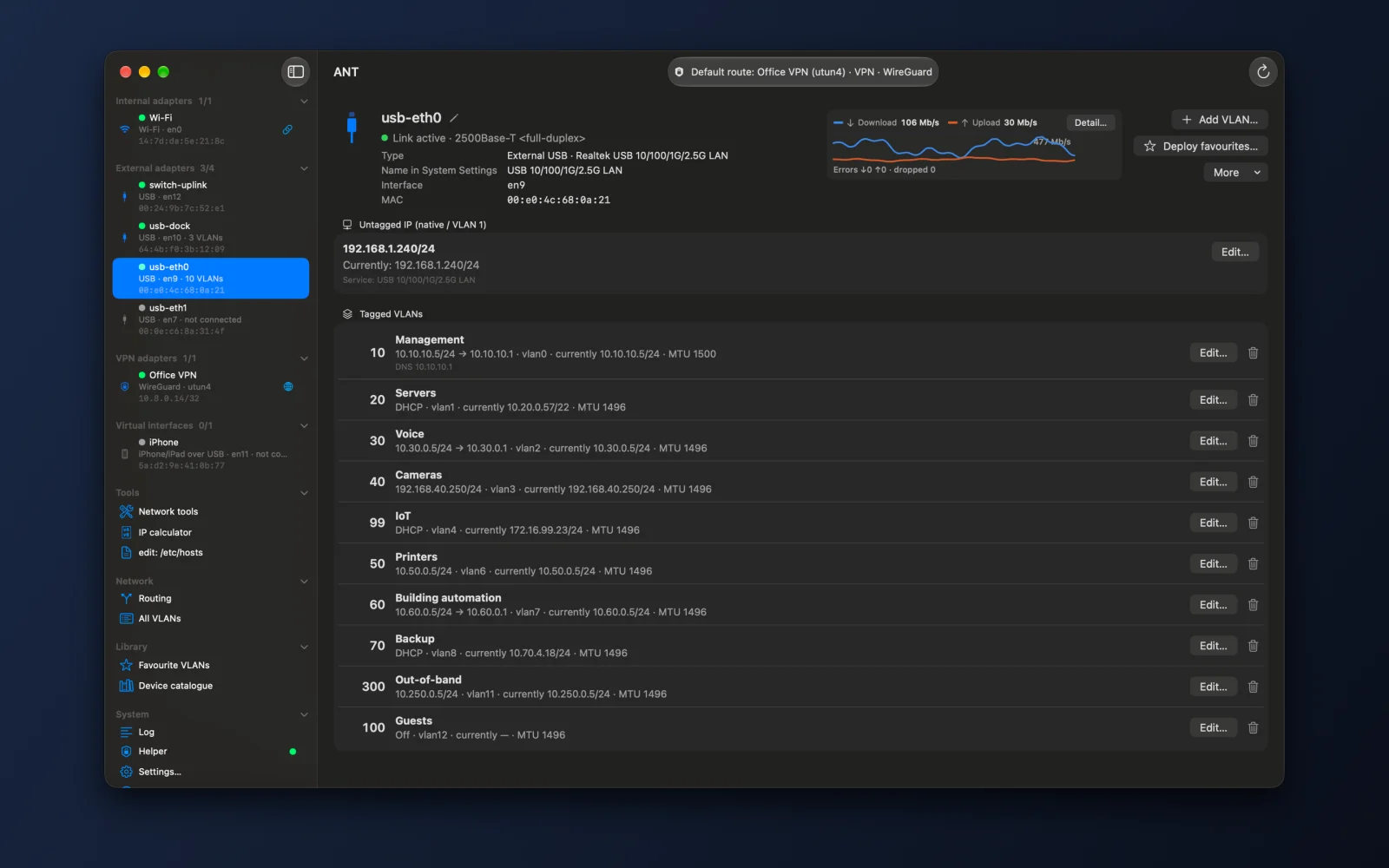
Network administration often requires access to several separate networks from the same Mac. One Ethernet adapter can carry multiple tagged 802.1Q VLANs alongside an untagged network. ANT lets you configure these networks, assign their addressing and save configurations for repeated use.
Prepare the switch port and adapter
The switch port must carry the required VLANs with the correct tagging. A standard access port for one untagged network will not provide access to multiple tagged VLANs. Also check VLAN support for your Ethernet adapter and its macOS driver.
Prepare the VLAN IDs, addressing method and any required DNS settings, static routes and MTU. The untagged network depends on the switch port's configuration; do not assume it is VLAN 1.
Add VLANs in ANT
Select the physical Ethernet adapter connected to the switch in ANT’s sidebar, then choose Add VLAN… For saved VLANs, use Deploy favourites… Enter the VLAN IDs used by your network. Configure DHCP or a static IP address with the appropriate subnet mask for each VLAN. Set DNS, static routes and MTU according to that network's requirements. The default VLAN MTU in ANT is 1496; the application can determine the highest working MTU.
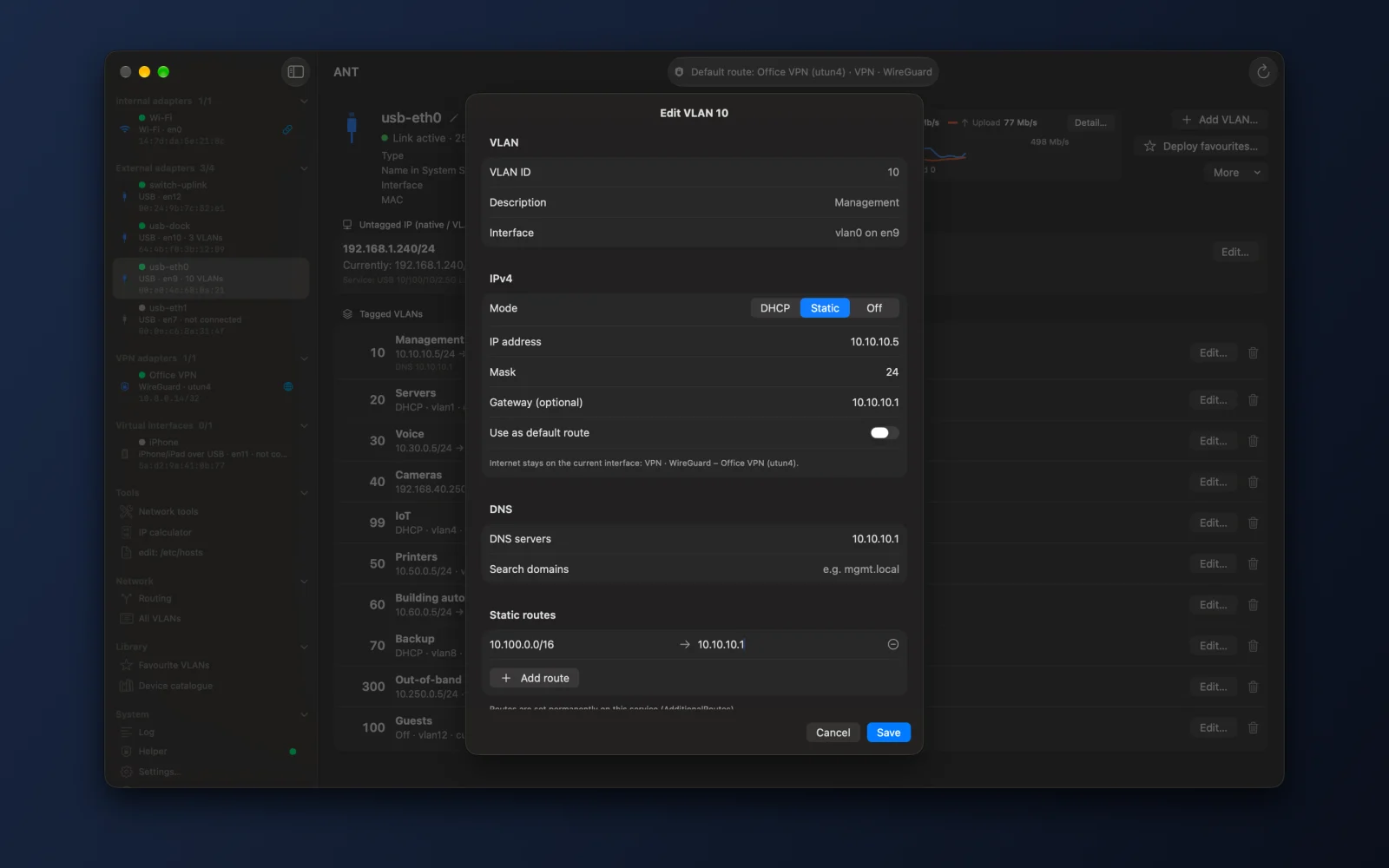
For example, two separate networks might use: - VLAN 10: network 192.168.10.0/24, with an available Mac address such as 192.168.10.20/24. - VLAN 20: network 192.168.20.0/24, with an available Mac address such as 192.168.20.20/24.
Use your own VLAN IDs and addresses that are actually available. Both VLANs must be allowed as tagged traffic on the switch port. These example values are not a universal network configuration.
Check routing and connectivity
Open All VLANs for an overview of VLANs across all adapters. Check each network's addresses and status there. Ping a known device in each VLAN and inspect the route to your destination. If DHCP adds a default route or you have an active VPN, also check which interface now carries outgoing traffic.
Adding a VLAN does not create routing between separate networks or bypass a firewall. Access also depends on the switch, router and destination devices. If a connection fails, first compare VLAN IDs and tagging at both ends, then check addressing and routing.
Save configurations for reuse
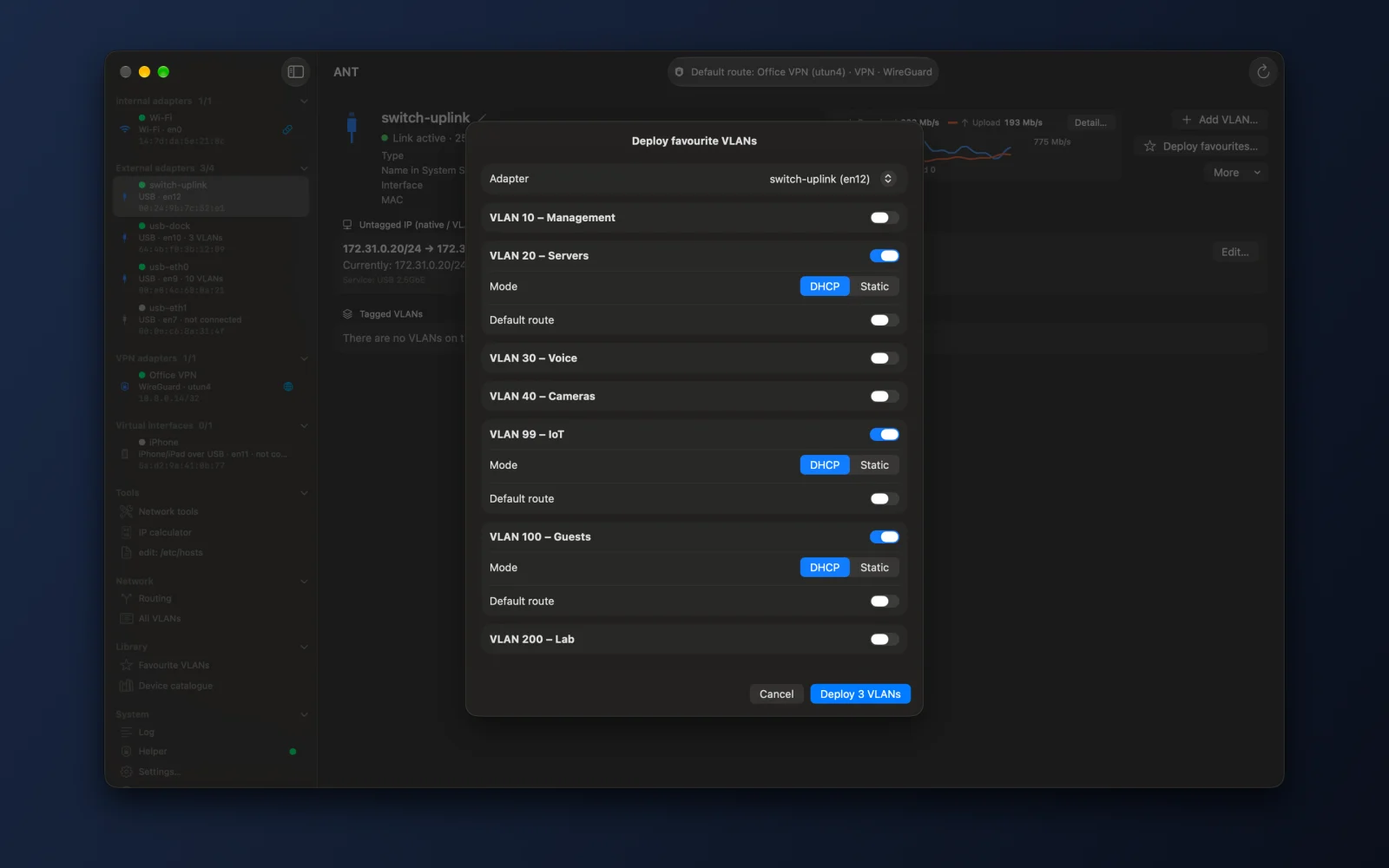
Save frequently used VLANs as favourites. On your next visit, deploy several saved VLAN configurations to the selected adapter at once. Before deployment, check that their saved IP addresses and routes fit the current site and will not cause conflicts.
You may not need a VLAN when connecting to a single device at its default IP address. See How to Connect a Mac to a Switch at Its Default IP Address for that workflow.
Try ANT
ANT requires macOS 27 or later and Apple Silicon (arm64). Intel Macs are not supported. The application interface is available in English and Czech only. The website is available in eight languages. The trial starts when you click Start 3-day trial in the app.
Download ANT for macOSApple Silicon (arm64)