 ANT
Change your Mac’s IP address quickly for device access
Open Device catalogue, select a device and choose Connect… ANT suggests an IP address for your Mac on the same network (different from the device’s). Check that no other device uses it. You can save your own Mac address for a device in the catalogue; ANT will then offer it automatically.
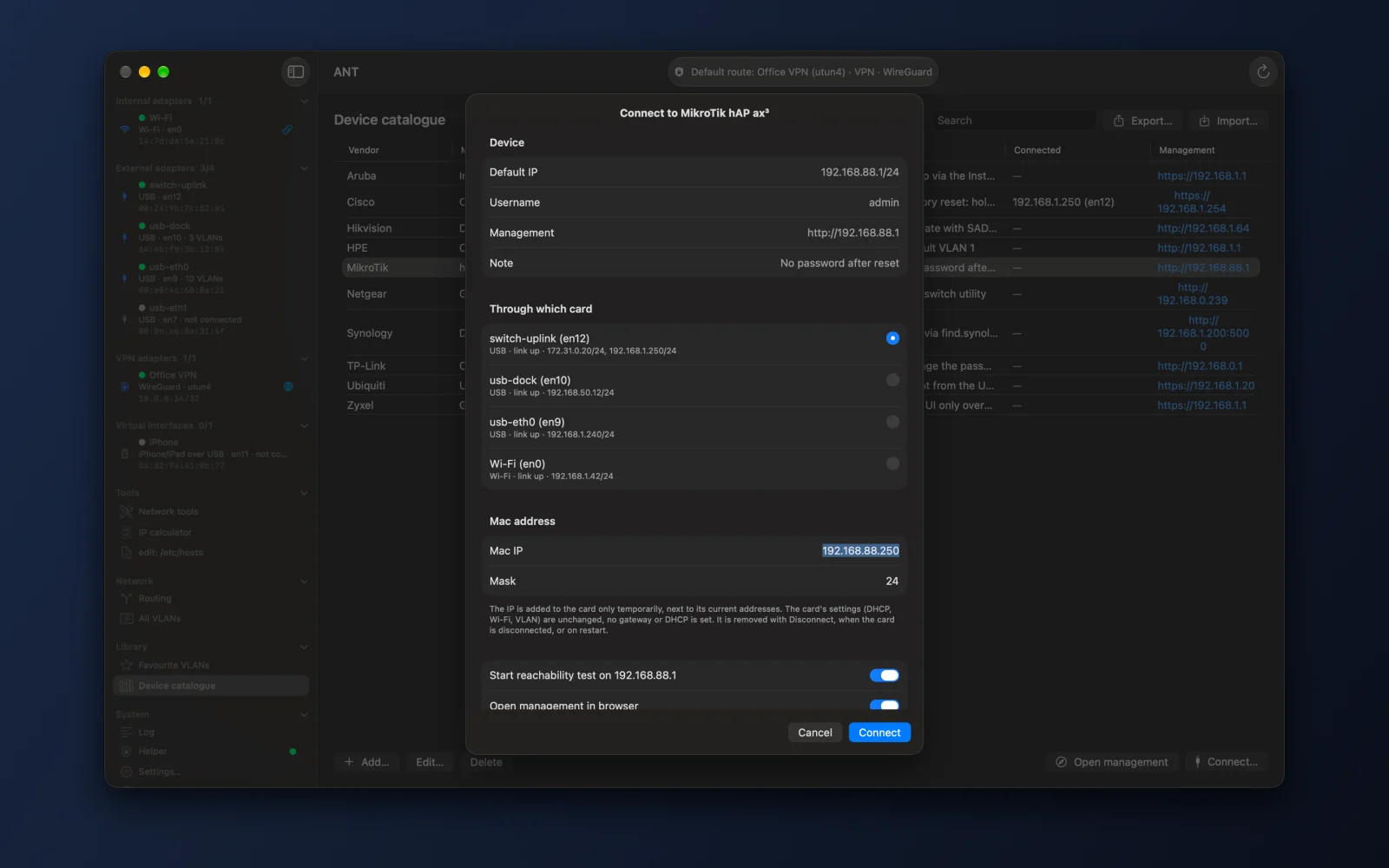
Choose an adapter and connect
Review the suggested address and change it if needed. Select an adapter using its link status, optionally enable the connectivity test and opening web management, then click Connect.
Keep your existing configuration
The temporary IP is added alongside existing addresses. DHCP, Wi-Fi and VLAN settings stay unchanged; no gateway or DHCP is configured. Remove the address with Disconnect in the catalogue; it is also removed when the adapter is disconnected or the Mac restarts.
FAQ
Which languages is the app available in?
The application interface is available in English and Czech only. The website is available in eight languages.
What does the helper do?
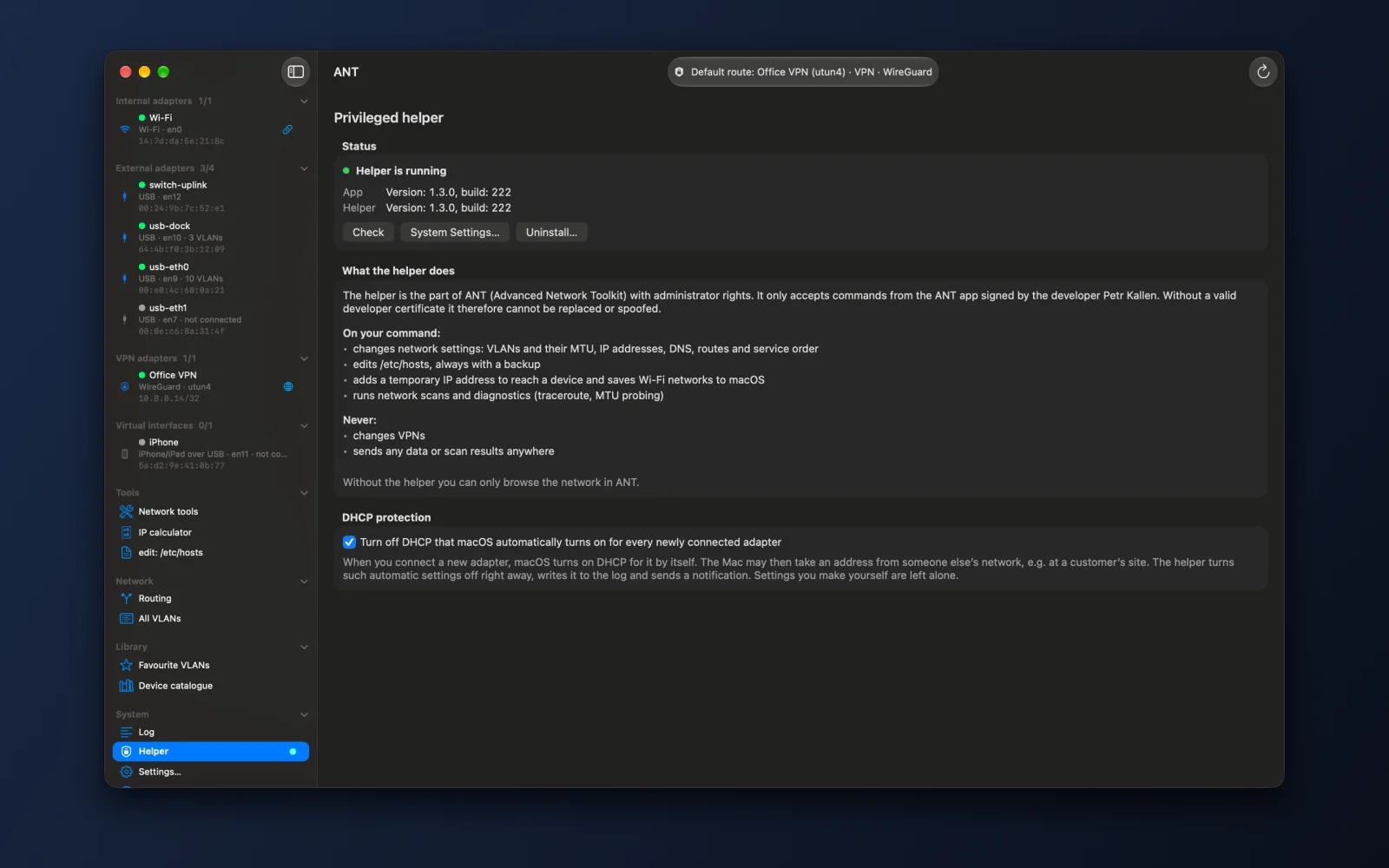
The privileged helper performs network changes at your request. ANT’s DHCP protection is on by default; its settings are in Helper. It immediately turns off the automatic DHCP change macOS makes on a newly connected USB Ethernet adapter.
Can I use multiple VLANs on one adapter on a Mac?
Yes. ANT supports multiple tagged VLANs and an untagged network on one Ethernet adapter. The adapter, driver and switch port must support the required configuration.
Is ANT in the Mac App Store?
No. Download ANT as a DMG from this website. Updates are available inside the application.
Try ANT
ANT requires macOS 27 or later and Apple Silicon (arm64). Intel Macs are not supported. The application interface is available in English and Czech only. The website is available in eight languages. The trial starts when you click Start 3-day trial in the app.
Download ANT for macOSApple Silicon (arm64)